Argos buying guide to tv and recordings - 2 of 5

Flatscreen TV and High Definition explained

Flatscreen TVs explained

Enjoy TV in any room

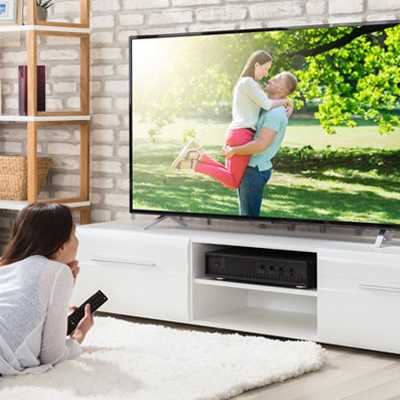
Flatscreen TVs are ideal for any size room. Slim designs mean they'll fit
into the smallest spaces; you can
even mount them on a wall! And in
bigger rooms, the large screen sizes
available can give you a cinematic experience at home; just add
popcorn.

Flatscreen TVs have excellent 'viewing angles' – you don't have to sit right in front to get a great picture.

Choose from a range of sizes

Smaller screens (15-23 inches) are ideal for the kitchen or bedroom, while larger screens will bring the action into your living room. For the ultimate cinema-style viewing experience, choose a 37-50 inch screen and enjoy Hollywood greats up close! If you want the best of both worlds, look at screens in the 26-32 inch range – they blend a compact size with a screen big enough for family vewing.

How is screen size measured?

Screens are measured in inches, diagonally from the bottom left to top right. This measurement doesn't tell you whether the screen is normal or widescreen – you'll need to check the shape of the screen for that.


Widescreen shows you the big picture


The widescreen 16:9 (left) format compared with standard 4:3 (right)

Most flatscreen TVs of over 19 inches are widescreen. That means the viewable area (width to height) is in the ratio 16:9 rather than the 4:3 of traditional television. Movies are filmed in widescreen format, so a widescreen TV displays a film as its director intended.


LCD or Plasma?

There are two main types of flatscreen TV. Decide what your viewing style is before you make your choice.

IF YOU WANT... GO FOR...
The best display of fast-moving images like sports matches or action movies A plasma screen TV. Plasma displays are great for viewing fast action without ghosting or blurring. LCD technology was originally developed for the slower-moving images on computer monitors, so plasma screens have a slight edge here.
A screen that fits anywhere An LCD flatscreen TV. LCDs are usually several cms slimmer than plasma TVs, and consequently lighter too.
The biggest possible screen size
Plasma TVs have larger maximum sizes than LCD, but LCD is catching up fast. At the moment, choose a plasma screen for the biggest viewable area.
A screen you can see from anywhere in the room, including odd angles
Plasma screens have a slightly wider 'viewing angle' than LCDs, but the difference is tiny. Choose your TV according to your viewing style, not the angle you'll view it from!
A TV that hangs on the wall
Both LCD and plasma TVs are wall mountable, but LCD flatscreens are usually lighter. This makes them easier to mount on walls.
The strongest, most intense colours Either type! Early plasma TVs suffered from fading over time, but today's flatscreens have this solved.
A TV that will last a long time With high 'contrast' (the difference between the darkest black and the brightest white), plasma screens tend to give you deeper, richer colours than LCDs. They're ideal for watching the best of Hollywood.
A TV that's kind to the
environment
Both types of flatscreen use surprisingly little power, but LCDs have the lowest electricity consumption of all. Choose LCD if you're looking for the lowest-energy option.

All about High Definition

The incredible detail of a High
Definition vs standard broadcast.

High Definition is the future of TV viewing, and it's available now. The picture on a standard TV is made up of 625 lines; High Definition (HD) signals increase this to 720 or 1080 lines, giving you a picture with up to four times as much detail.

You can receive High Definition broadcasts on a non-High Definiton digital TV, but they won't have the extra detail and sharpness of true High Definition! A High Definition-ready TV gives you unbelievable picture sharpness and vibrant colours.

DIFFERENT TYPES OF HIGH DEFINITION
HD 720 The picture is made up of 720 lines, about 100 more than a traditional TV picture. The image you'll see is much better quality than before.
HD 1080i
1080i gives you even better picture definition, with over a thousand lines making up the image. The 'i' means it saves space on the airwaves by broadcasting only half the signal at a time, first one half then the other – so fast the eye doesn't notice.
HD 1080p
1080p gives you the sharpest, most detailed images of all, since the picture is made up of 1080 lines all broadcast at once (not half at a time like 1080i) meaning fast-moving sports and action scenes are blur-free. No channels are broadcasting 1080 line television programmes yet. But buy a 1080i or 1080p TV, and you'll get the most out of the High Definition DVDs already on sale in Blu-ray and HD-DVD formats.
AND A WORD ON...
Image Enhancement Some things that reduce image quality – like 'ghosting' – can be removed by software. Where you see words like Bravia, Viera, XDEngine, and PixelPlus it means the TV has such technology built-in. The software may be from different manufacturers, but it all does the same thing – improves your picture!

Remember, 'Digital' and 'High Definition' aren't the same thing. Digital refers to how the signal is broadcast, whereas High Definition refers to the quality of the image. Even before broadcasts begin, High Definition quality is already available on DVD, in the HD-DVD and Blu-ray formats. You can't record on HD-DVD or Blu-ray discs yet, but the cinematic experience more than makes up for it!

Connecting your digital TV

To enjoy the digital signal, you need the right connectors. Here's a list – all are available from Argos.

RF/aerial/coaxial cables connect the signal from your rooftop aerial to your equipment, either to your TV directly or through a set top box.

If you live in an area with poor reception, adding a signal booster between aerial and TV will make your picture much clearer.

If you're looking at digital TV and DVD equipment, you'll soon see one of these. It's called a SCART socket, and it's the basic connection between a TV and other equipment including DVD recorders, digital recorders, and set top boxes. With SCART, you can receive digital broadcasts in a variety of ways. It lets you connect to a Freeview box, a Sky dish, cable TV from Virgin, or BTVision down your phone line. They're different methods, but a SCART connection is the key.

All about HDMI

To make the most of High Definition broadcasts or DVDs you'll need High Definition Multimedia Interface, or HDMI leads. Connectors and cables marked with the HDMI logo can carry both picture and sound at the ultra high quality level needed to make the most of High Definition TV – so your viewing experience will be the most entertaining possible.

Most High Definition flatscreen TVs come with at least one HDMI socket – but the more the merrier, since many digital TV recorders, DVD recorders, camcorders and other technology are adopting HDMI for their connections.

Best of all, HDMI with a High Definition TV makes even normal TV look better. It 'upscales' or improves the image even when the broadcast isn't High Definition! Of course, it won't be as detailed as true High
Definition, but you'll still notice the difference.

Don't forget

TV brackets
Great for bedrooms, kitchens and anywhere where you’re short of room, wall-mounted brackets free up valuable shelf or floor space. Some even hold a video or DVD player too.

TV stands
If you're not hanging your TV on a wall, look at furniture designed to support it.

Cables and connectors
From SCART to HDMI, make sure you have the right cables to connect your equipment together.

Home cinema systems
For a real cinematic experience, try adding extra speakers. A simple 2.1 two-speaker stereo setup gives great sound without trailing wires, while a more powerful 3.1 system improves sound quality even further. For the ultimate rush, a full 5.1 speaker surround sound layout will put you at the centre of the action!

2.1
Home cinema
3.1
Theatre quality sound
5.1
Movies at home

Confused by the digital switchover?
Click here for the facts.

page 2 of 5

Argos guide to tv and recording

© Argos Limited 2008. All Rights Reserved